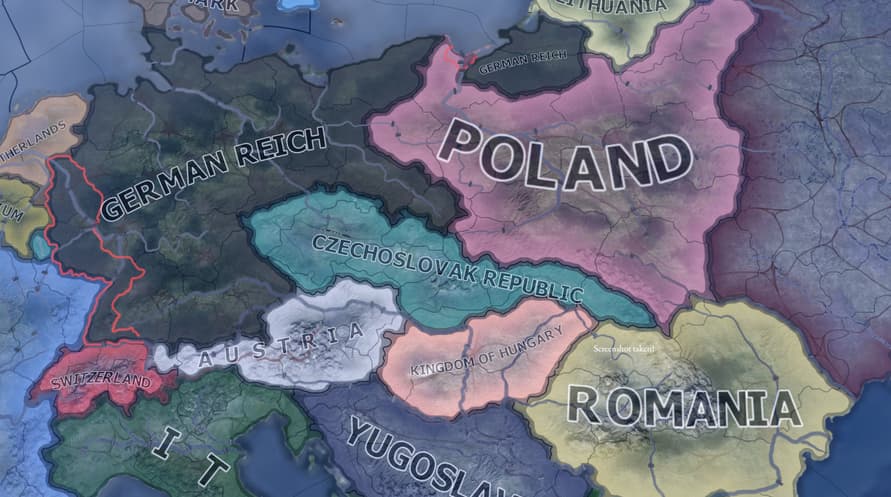
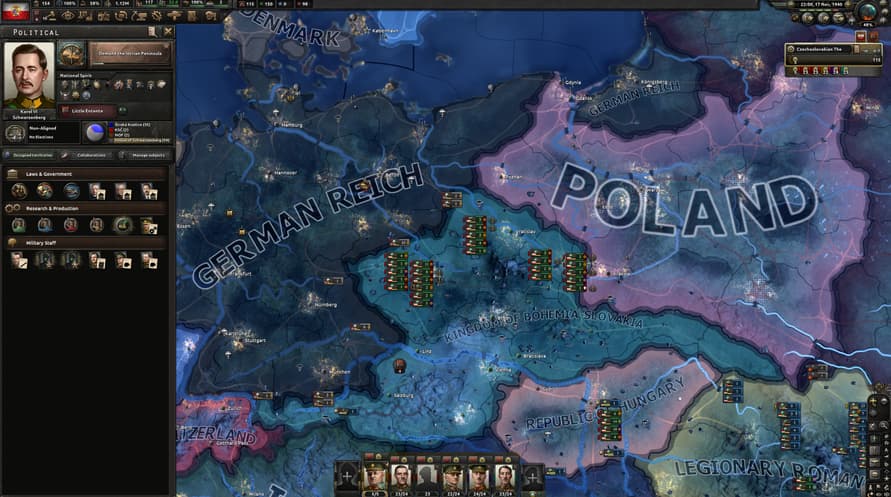
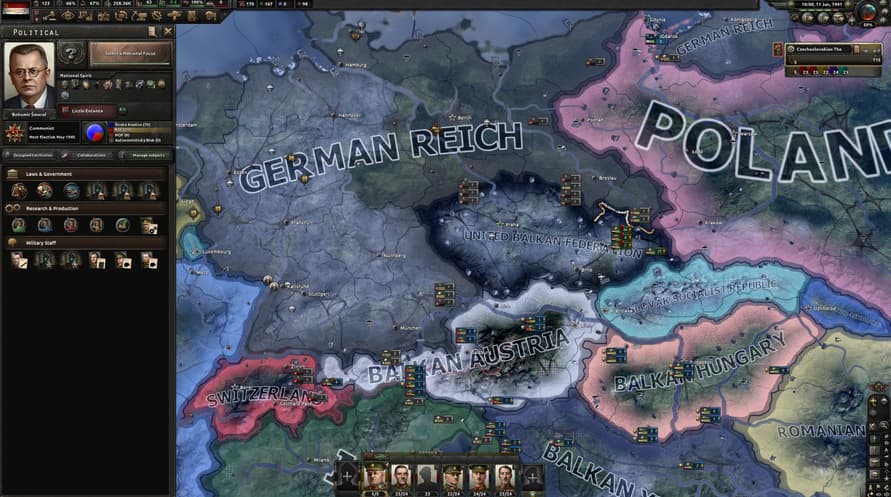
同盟國在慕尼黑出賣捷克斯洛伐克,隨後德國將其吞併,是歷史上歐洲走向第二次世界大戰的關鍵時刻。 但想像一下,如果同盟國有準備好面對德國的侵略,在面臨壓迫時展現勇氣,結果會如何呢? 在 Hearts of Iron IV 的全新國策套件 Peace for Our Time 中一探究竟。
這款國策套件由資深模組作者 Logan ‘Spicy Alfredo’ Calkins、Abbus Fung 和 Marijn ‘marijn211’ Vroegh 協力打造,讓捷克斯洛伐克在面臨壓倒性劣勢的絕望生存之戰時擁有新的選擇,並向所有 Hearts of Iron IV 玩家發出特殊的挑戰。
Hearts of Iron IV: Peace for Our Time 遊戲特色包含:
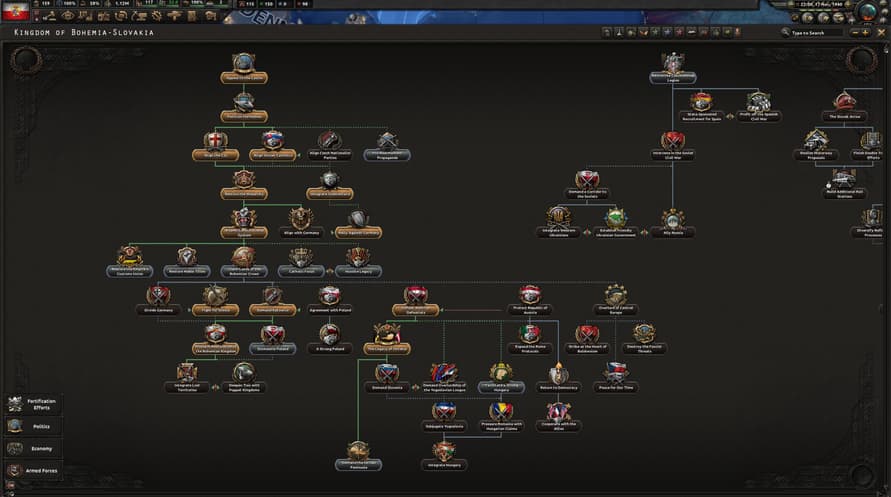
• 民主主義國策路徑:身處於非民主國家的環伺下,你可以透過建立自己的陣營、領導流亡政府,或是以斯洛伐克的身分追求獨立,來捍衛捷克斯洛伐克的自由。
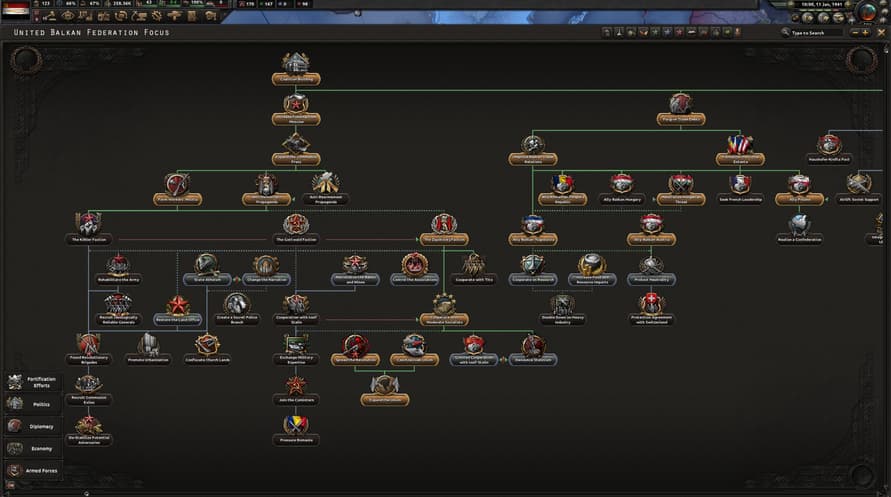
• 共產主義國策路徑:發起社會主義革命來取代失敗的中間路線,加入共產國際或在你自己的聯邦下統一該地區,無論是透過激進鬥爭還是穩健改革的手段皆然。
• 君主主義與法西斯主義國策路徑: 集結民族主義力量來建立新的波希米亞王國,或者擁護軍事獨裁;透過盟友或附庸國擴展你的勢力,並在危機過決定後要鞏固威權統治,還是回歸民主制度。
• 管理你的軍火工業,成為工業強國,並透過對外出口武器來左右全球的衝突。
• 參與「分裂國家」機制,解決治理分裂民主政體所帶來的挑戰。
• 軍隊信心權力制衡迫使你必須確保獲得軍方的支持。
• 全新美術設計與音樂,包含兩首新樂曲、布拉格城堡與波耶尼切城堡 3D 建模、全新裝備圖形,以及全新的國策圖示與角色肖像。
©2016-2025 and published by Paradox Interactive AB, HEARTS OF IRON and PARADOX INTERACTIVE are trademarks and/or registered trademarks of Paradox Interactive AB in Europe, the U.S., and other countries. All other trademarks, logos, and copyrights are the property of their respective owners.
Windows Minimum Requirements:
- OS: Windows® 10 Home 64 Bit
- Processor: Intel® Core™ i5 750 | AMD® FX 4300
- Memory: 4 GB RAM
- Graphics: Nvidia® GeForce™ GTX 470 (1.28GB) | AMD® HD 5850 (1GB) | Intel Iris Xe G7 (Tiger Lake) | AMD® Radeon™ RX Vega 11
- DirectX: Version 9.0c
- Storage: 2 GB available space
- Sound Card: Direct X- compatible soundcard.
- Additional Notes: Mouse and keyboard are required. / Latest available WHQL drivers from both manufacturers/ Internet Connection or LAN for multiplayer, Up to 32 other players in multiplayer mode.
Windows Recommended Requirements:
- OS: Windows® 10 Home 64 bit
- Processor: Intel® Core™ i5 2500K | AMD® Ryzen 3 2200G
- Memory: 6 GB RAM
- Graphics: Nvidia® GeForce™ GTX 570 (1.28GB) | AMD® Radeon™ HD 7970 (3GB) | Intel Iris Xe G7 (Tiger Lake)
- DirectX: Version 9.0c
- Storage: 2 GB available space
- Sound Card: Direct X- compatible soundcard.
- Additional Notes: Mouse and keyboard are required. / Latest available WHQL drivers from both manufacturers. / Internet Connection or LAN for multiplayer, Up to 32 other players in multiplayer mode.
Mac Minimum Requirements:
- OS: OS: macOS 13 (Ventura)
- Processor: Intel Core i5 @ 2.60 GHz or better
- Memory: 4 GB RAM
- Graphics: ATI Radeon HD 6970M
- Storage: 2 GB available space
- Additional Notes: Mouse and keyboard are required. / Latest available proprietary drivers / Internet Connection or LAN for multiplayer, Up to 32 other players in multiplayer mode.
Mac Recommended Requirements:
- OS: OS: macOS 13 (Ventura)
- Processor: Intel Core i5 @ 2.90 GHz or better
- Memory: 8 GB RAM
- Graphics: ATI Radeon R9 390M or NVIDIA GeForce 750M with 1GB VRAM
- Storage: 2 GB available space
- Additional Notes: Mouse and keyboard are required. / Latest available proprietary drivers from both manufacturers/ Internet Connection or LAN for multiplayer, Up to 32 other players in multiplayer mode.
Linux Minimum Requirements:
- OS: OS: Ubuntu 22.04
- Processor: Intel Core 2 Quad Q9400 @ 2.66 GHz / AMD Athlon II X4 650 @ 3.20 GHz
- Memory: 4 GB RAM
- Graphics: ATI Radeon HD 5850 or NVIDIA GeForce GTX470 with 1GB VRAM / Latest available proprietary drivers from both manufacturers
- Storage: 2 GB available space
- Additional Notes: Controller support: 3-button mouse, keyboard, and speakers are required. / Internet Connection or LAN for multiplayer, Up to 32 other players in multiplayer mode.
Linux Recommended Requirements:
- OS: OS: Ubuntu 22.04
- Processor: Intel Core i5 750 @ 2.66 GHz / AMD Phenom II X4 955 @ 3.20 GHz
- Memory: 4 GB RAM
- Graphics: ATI Radeon HD 6950 or NVIDIA GeForce GTX570 with 2GB VRAM / Latest available proprietary drivers from both manufacturers
- Storage: 2 GB available space
- Additional Notes: Controller support: 3-button mouse, keyboard, and speakers are required. / Internet Connection or LAN for multiplayer, Up to 32 other players in multiplayer mode.
要激活您收到的Steam密钥,请按照以下说明进行操作;
- 首先,打开Steam客户端。(如果没有,请点击此处的“安装Steam”按钮 => Steam Store)
- 登录您的Steam帐户。(如果没有,请点击此处创建一个新帐户 => Steam Account)
- 点击客户端底部角落的“添加游戏”按钮。
- 然后,选择“在Steam上激活产品...”
- 在窗口中输入或复制粘贴您从Voidu收到的激活码。
- 您的游戏现在在您的库中可见!点击“库”。
- 最后,点击游戏并选择“安装”以开始下载。