Explore the Void with these additional in-game items:
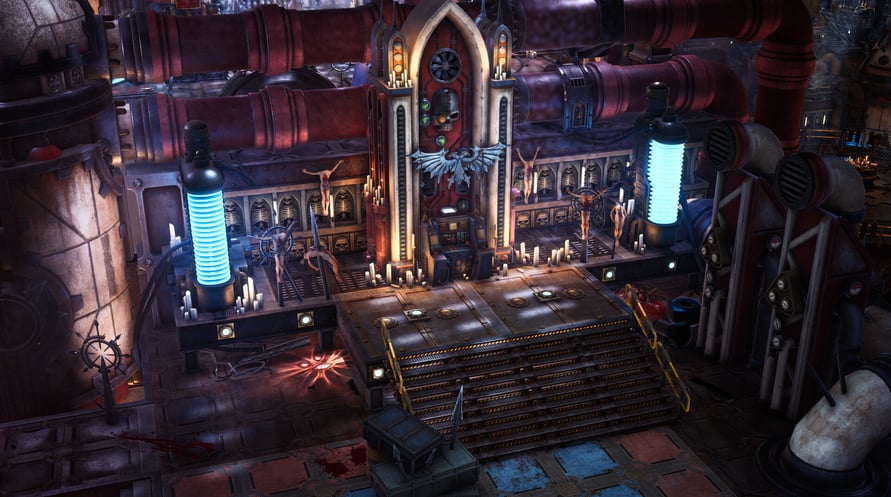
In-Game Item - Unique Rogue Trader Throne
Change the appearance of the throne on your voidship’s bridge to something even more illustrious and befitting of your status as Rogue Trader.
In-Game Item - Cherub Pet
Allows you to change the appearance of your trusty companion from the regular Servoskull to the Cherub!
Windows Minimum Requirements:
- OS: Win10
- Processor: Intel(R) Core(TM) i5-4590T CPU @ 2.00GHz
- Memory: 8 GB RAM
- Graphics: AMD Radeon RX Vega 6 / Intel HD Graphics 630
- DirectX: Version 11
- Storage: 40 GB available space
Windows Recommended Requirements:
- OS: Win10
- Processor: Intel(R) Core(TM) i5-6400 CPU @ 2.70GHz
- Memory: 16 GB RAM
- Graphics: AMD Radeon RX 570 / NVIDIA GeForce GTX 1050 Ti
- DirectX: Version 11
- Storage: 40 GB available space
Mac Minimum Requirements:
- OS: 10.14.6
- Processor: Intel Core i3 8100 @ 3.6 GHz or Apple Silicon M1
- Memory: 8 GB RAM
- Graphics: Intel: AMD Radeon Pro 555X 2GB or ARM: Integrated
- Storage: 40 GB available space
Mac Recommended Requirements:
- OS: 10.15.7
- Processor: Intel Core i5 8400 @ 2.8 GHz or Apple Silicon M1X
- Memory: 16 GB RAM
- Graphics: Intel: AMD Radeon Pro 570X 4GB or ARM: Integrated
- Storage: 40 GB available space
Steam anahtarınızı etkinleştirmek için aşağıdaki talimatları izleyin;
- İlk olarak, Steam istemcisini açın. (Yoksa, buradaki "Steam Yükleyin" düğmesine tıklayın => Steam Mağaza )
- Steam hesabınıza giriş yapın. (Eğer bir hesabınız yoksa, buraya tıklayarak yeni bir tane oluşturun => Steam Hesabı)
- Steam'in alt köşesindeki "BİR OYUN EKLE" düğmesine tıklayın.
- Sonra, "Bir ürünü Steam'e etkinleştirin..." seçeneğini seçin.
- Voidu'dan aldığınız etkinleştirme anahtarını pencereye yazın veya kopyalayın.
- Oyununuz artık kütüphanenizde görünüyor! "Kütüphane"nize tıklayın.
- Ve son olarak, oyunun üzerine tıklayın ve indirmeyi başlatmak için "Yükle" seçeneğini seçin.