


Sherman Commander Supporter Pack
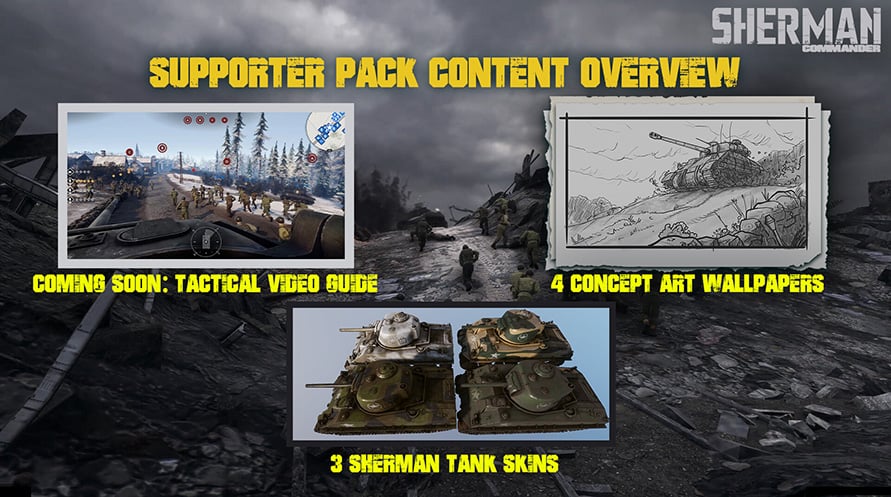
The Supporter Pack contains a collection of DLC and goodies for those who want to go the extra mile to support the developers of Sherman Commander.
The Supporter Pack contains a collection of DLC and goodies for those who want to go the extra mile to support the developers of Sherman Commander.
- Coming soon: Tactical Video Guide
- Sherman skins: 3 Alternative skins for the player's Sherman tank
- Concept Art Wallpapers: 4 Concept Art Wallpapers with 2 Versions each
Mature Content Description
The developers describe the content like this:
Sherman Commander simulates tank & infantry combat in World War II locations
© 2026 Daedalic Entertainment GmbH and Iron Wolf Studio S.A. All rights reserved.
Daedalic and the Daedalic logo are trademarks of Daedalic Entertainment GmbH, Germany.
Sherman Commander Supporter Pack

Activation Information
United States
Available in your region
Activated in United States


