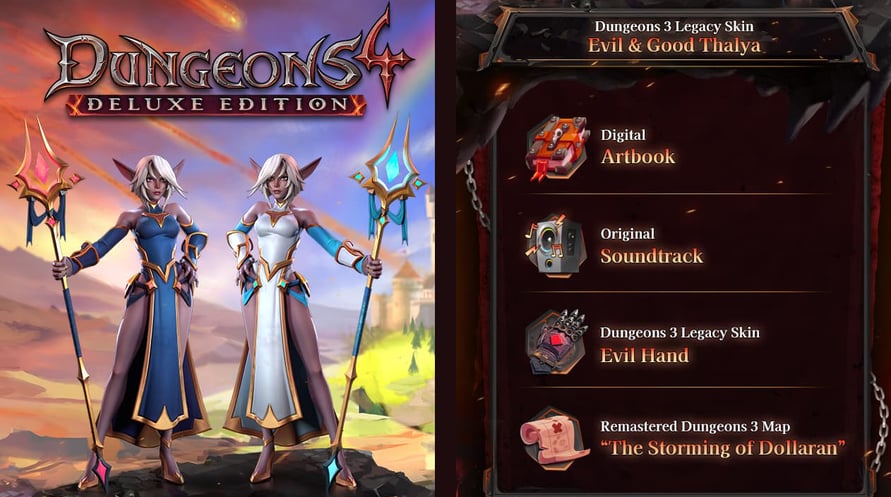
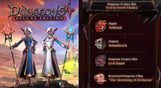
The Deluxe Edition includes:
• the full Dungeons 4 game
• the original soundtrack
• Dungeons 3 Legacy Skins Evil & Good Thalya
• an exclusive Dungeons 3 legacy skin for the “Evil Hand”
• an Digital Artbook
• Remastered Dungeons 3 Map “The Storming of Dollaran”
Dungeons 4 © 2023 Kalypso Media Group GmbH. Developed by Realmforge Studios. Published by Kalypso Media Group GmbH. Dungeons is a trademark of Kalypso Media Group GmbH. All rights reserved. All other logos, copyrights and trademarks are property of their respective owner.
Minimum Requirements:
- Requires a 64-bit processor and operating system
- OS: Windows 10 (64 Bit)
- Processor: AMD / Intel CPU running at 2.8 GHz or higher: AMD Ryzen 5 2600 or Intel Core i5-8400 or newer is recommended.
- Memory: 16 GB RAM
- Graphics: NVIDIA/AMD dedicated graphics card, with at least 4GB of dedicated VRAM and with at least DirectX 11.0 support: NVIDIA GeForce GTX 960 or AMD Equivalent or newer is recommended.
- DirectX: Version 11
- Storage: 12 GB available space
- Sound Card: Integrated or dedicated compatible soundcard.
- Additional Notes: Low settings | Full-HD resolution | Average performance
Recommended Requirements:
- Requires a 64-bit processor and operating system
- OS: Windows 10 (64 Bit)
- Processor: AMD / Intel CPU running at 2.9 GHz or higher: AMD Ryzen 5 5600X or Intel Core i7-10700 or newer is recommended.
- Memory: 16 GB RAM
- Graphics: NVIDIA/AMD dedicated graphics card, with at least 6GB of dedicated VRAM and with at least DirectX 11.0 support: NVIDIA GeForce RTX 2070 or AMD Equivalent or newer is recommended.
- DirectX: Version 11
- Storage: 12 GB available space
- Sound Card: Integrated or dedicated compatible soundcard.
- Additional Notes: High settings | Full-HD resolution | Average performance
Untuk mengaktifkan kunci Steam yang Anda terima, ikuti petunjuk di bawah ini;
- Pertama, buka klien Steam. (Jika Anda belum memilikinya, cukup klik tombol "Instal Steam" di sini => Steam Store )
- Masuk ke akun Steam Anda. (Jika Anda belum memilikinya, klik di sini untuk membuat akun baru => Steam Account )
- Klik tombol "TAMBAH GAME" di pojok bawah klien.
- Kemudian, pilih "Aktifkan produk di Steam..."
- Tulis atau salin-tempel kunci aktivasi yang Anda terima dari Voidu di jendela.
- Game Anda sekarang terlihat di perpustakaan Anda! Klik "Perpustakaan" Anda.
- Dan akhirnya, klik game tersebut dan pilih "Instal" untuk memulai unduhan Anda.