


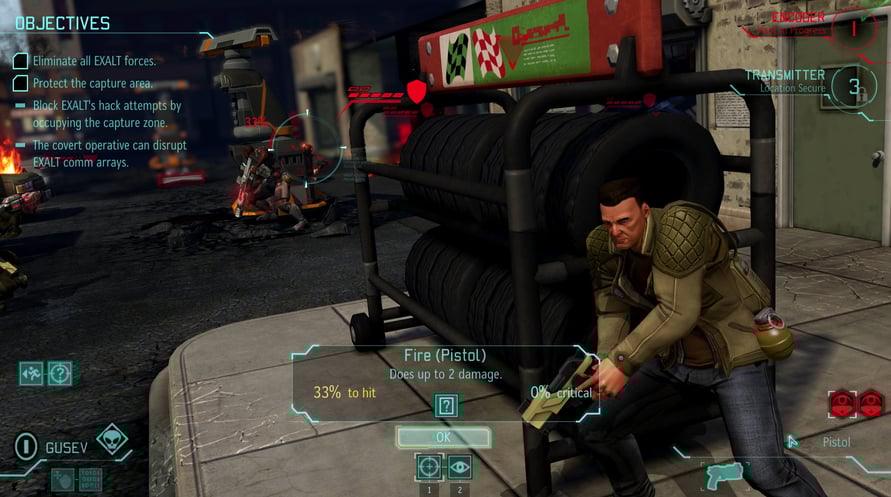
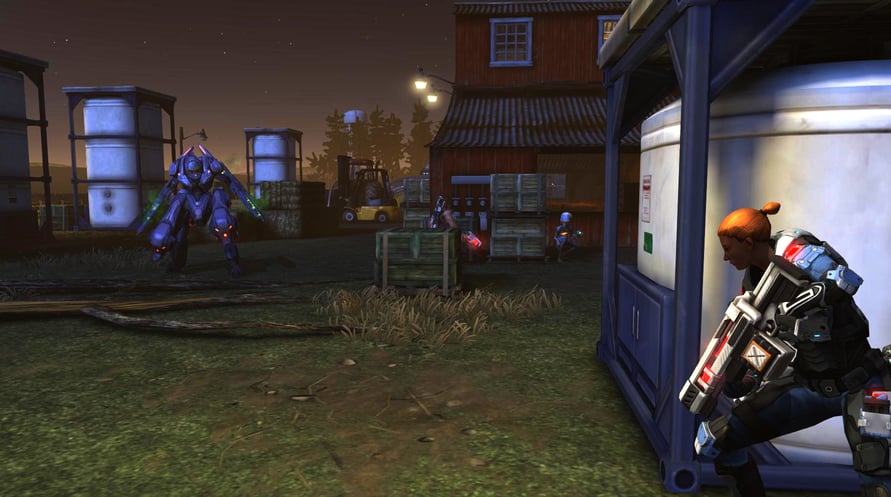






XCOM®: Enemy Within is the expansion to the 2012 Game of the Year award-winning strategy game XCOM: Enemy Unknown. Enemy Within adds an incredible array of new abilities, upgrades and weapons to combat new enemy and alien threats. This expansion also introduces new maps and missions, new tactical and strategic gameplay, and new multiplayer content providing a fresh new gameplay experience.
Use of this product requires agreement to the following third party end user license agreement: http://www.take2games.com/eula/
© 1994-2013 Take-Two Interactive Software, Inc. Take-Two Interactive Software, Inc., 2K, 2K Games, Firaxis Games, XCOM, XCOM: Enemy Unknown, XCOM: Enemy Within, and their respective logos are trademarks of Take-Two Interactive Software, Inc. All rights reserved. All other marks are property of their respective owners.
NOTICE: This content requires the base game XCOM: Enemy Unknown on Steam in order to play.
Windows Minimum Requirements:
- OS *: Windows Vista or later
- Processor: 2 GHz Dual Core (Core 2 Duo 2.4 GHz or Athlon X2 2.7 GHz) CPU
- Memory: 2 GB RAM
- Graphics: 256 MB Video Memory NVIDIA GeForce 8600 GT / ATI Radeon HD 2600 XT or greater
- Storage: 20 GB available space
- Sound Card: DirectX compatible sound card
Windows Recommended Requirements:
- OS *: Windows 7
- Processor: 2.4 GHz Quad Core CPU
- Memory: 4 GB RAM
- Graphics: 512MB Video Memory ATI Radeon HD 3000 Series/NVIDIA GeForce 9000 Series or greater
- Storage: 20 GB available space
- Sound Card: DirectX compatible sound card
Linux Minimum Requirements:
- OS: Ubuntu 14.04 (64 bit)
- Processor: 2 GHz
- Memory: 4 GB RAM
- Graphics: Nvidia 600 series+, AMD 6000 series+, Intel Iris Pro
- Storage: 16 GB available space
Linux Recommended Requirements:
- OS: Ubuntu 14.04 (64 bit)
- Processor: 3 GHz
- Memory: 8 GB RAM
- Graphics: Nvidia 700 series+, AMD 6000 series+
- Storage: 16 GB available space
Untuk mengaktifkan kunci Steam yang Anda terima, ikuti petunjuk di bawah ini;
1. Pertama, buka klien Steam. (Jika Anda belum memilikinya, cukup klik tombol "Instal Steam" di sini =>
Steam Store)
2. Masuk ke akun Steam Anda. (Jika Anda belum memilikinya, klik di sini untuk membuat akun baru =>
Steam Account)
3. Klik tombol "TAMBAH GAME" di pojok bawah klien.
4. Kemudian, pilih "Aktifkan produk di Steam..."
5. Tulis atau salin-tempel kunci aktivasi yang Anda terima dari Voidu di jendela.
6. Game Anda sekarang terlihat di perpustakaan Anda! Klik "Perpustakaan" Anda.
7. Dan akhirnya, klik game tersebut dan pilih "Instal" untuk memulai unduhan Anda.