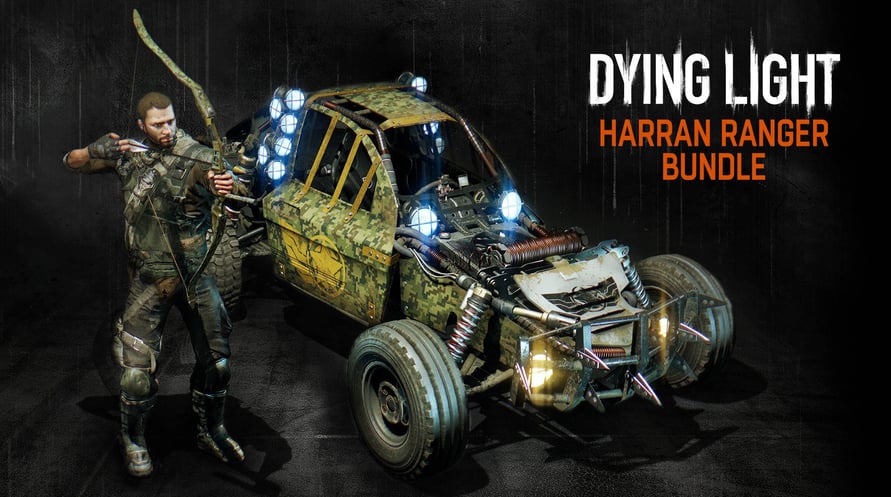
Breng de nietsvermoedende bandieten voor het gerecht als de Harran Ranger! Trek de nieuwe camo-outfit aan, maak headshots met je exclusieve Ranger Bow, en patrouilleer over het platteland in de Pathfinder. De Harran Ranger Bundle is inclusief: een nieuwe buggy-lak, een nieuwe personage-outfit, een nieuwe wapenblauwdruk en vier pijlblauwdrukken.
*Opmerking: Deze content vereist het uitbreidingspakket Dying Light: The Following.*
DYING LIGHT © Techland 2015. Published and Distributed by Warner Bros. Home Entertainment Inc. WB SHIELD: ™ & © Warner Bros. Entertainment Inc.
NOTICE: This content requires the base game Dying Light on Steam in order to play.
Minimum Requirements:
OS: Windows® 7 64-bit / Windows® 8 64-bit / Windows® 8.1 64-bit
Processor: Intel® Core™ i5-2500 @3.3 GHz / AMD FX-8320 @3.5 GHz
Memory: 4 GB RAM DDR3
Hard Drive: 40 GB free space
Graphics: NVIDIA® GeForce® GTX 560 / AMD Radeon™ HD 6870 (1GB VRAM)
DirectX®: Version 11
Sound: DirectX® compatible
Additional Notes: Laptop versions of graphics cards may work but are NOT officially supported. Windows-compatible keyboard, mouse, optional controller (Xbox 360 Controller for Windows recommended)
Recommended Requirements:
OS: Windows® 7 64-bit / Windows® 8 64-bit / Windows® 8.1 64-bit
Processor: Intel® Core™ i5-4670K @3.4 GHz / AMD FX-8350 @4.0 GHz
Memory: 8 GB RAM DDR3
Hard Drive: 40 GB free space
Graphics: NVIDIA® GeForce® GTX 780 / AMD Radeon™ R9 290 (2GB VRAM)
DirectX®: Version 11
Sound: DirectX® compatible
Additional Notes: Laptop versions of graphics cards may work but are NOT officially supported. Windows-compatible keyboard, mouse, optional controller (Xbox 360 Controller for Windows recommended)
Om de Steam-sleutel die je hebt ontvangen te activeren, volg je de onderstaande instructies:
- Allereerst, open de Steam-client. (Als je deze niet hebt, klik eenvoudig op de knop "Steam installeren" hier => Steam Store )
- Meld je aan bij je Steam-account. (Als je er geen hebt, klik hier om er een nieuw te maken => Steam-account )
- Klik op de knop "EEN SPEL TOEVOEGEN" in de onderhoek van de client.
- Selecteer vervolgens "Een product op Steam activeren..."
- Schrijf de activeringssleutel op of kopieer en plak deze die je hebt ontvangen van Voidu in het venster.
- Je spel is nu zichtbaar in je bibliotheek! Klik op je "Bibliotheek".
- En tot slot, klik op het spel en selecteer "Installeren" om je download te starten.