Explore the Void with these additional in-game items:
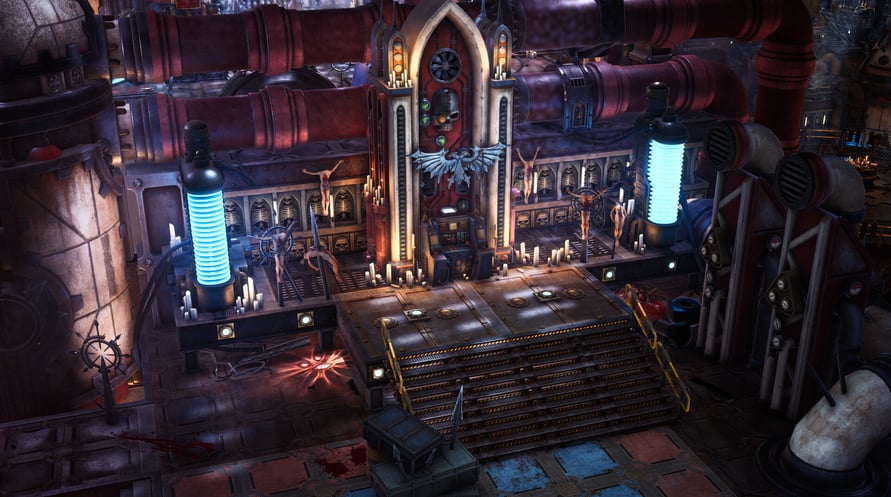
In-Game Item - Unique Rogue Trader Throne
Change the appearance of the throne on your voidship’s bridge to something even more illustrious and befitting of your status as Rogue Trader.
In-Game Item - Cherub Pet
Allows you to change the appearance of your trusty companion from the regular Servoskull to the Cherub!
Windows Minimum Requirements:
- OS: Win10
- Processor: Intel(R) Core(TM) i5-4590T CPU @ 2.00GHz
- Memory: 8 GB RAM
- Graphics: AMD Radeon RX Vega 6 / Intel HD Graphics 630
- DirectX: Version 11
- Storage: 40 GB available space
Windows Recommended Requirements:
- OS: Win10
- Processor: Intel(R) Core(TM) i5-6400 CPU @ 2.70GHz
- Memory: 16 GB RAM
- Graphics: AMD Radeon RX 570 / NVIDIA GeForce GTX 1050 Ti
- DirectX: Version 11
- Storage: 40 GB available space
Mac Minimum Requirements:
- OS: 10.14.6
- Processor: Intel Core i3 8100 @ 3.6 GHz or Apple Silicon M1
- Memory: 8 GB RAM
- Graphics: Intel: AMD Radeon Pro 555X 2GB or ARM: Integrated
- Storage: 40 GB available space
Mac Recommended Requirements:
- OS: 10.15.7
- Processor: Intel Core i5 8400 @ 2.8 GHz or Apple Silicon M1X
- Memory: 16 GB RAM
- Graphics: Intel: AMD Radeon Pro 570X 4GB or ARM: Integrated
- Storage: 40 GB available space
Om de Steam-sleutel die je hebt ontvangen te activeren, volg je de onderstaande instructies:
- Allereerst, open de Steam-client. (Als je deze niet hebt, klik eenvoudig op de knop "Steam installeren" hier => Steam Store )
- Meld je aan bij je Steam-account. (Als je er geen hebt, klik hier om er een nieuw te maken => Steam-account )
- Klik op de knop "EEN SPEL TOEVOEGEN" in de onderhoek van de client.
- Selecteer vervolgens "Een product op Steam activeren..."
- Schrijf de activeringssleutel op of kopieer en plak deze die je hebt ontvangen van Voidu in het venster.
- Je spel is nu zichtbaar in je bibliotheek! Klik op je "Bibliotheek".
- En tot slot, klik op het spel en selecteer "Installeren" om je download te starten.