*Content in this set can be purchased individually and as part of other packs. Please be careful not to purchase the same item twice.
*There are other bundles that include this product. Please be careful of duplicate purchases.
*You may need to update to the latest version of the game to use this content.
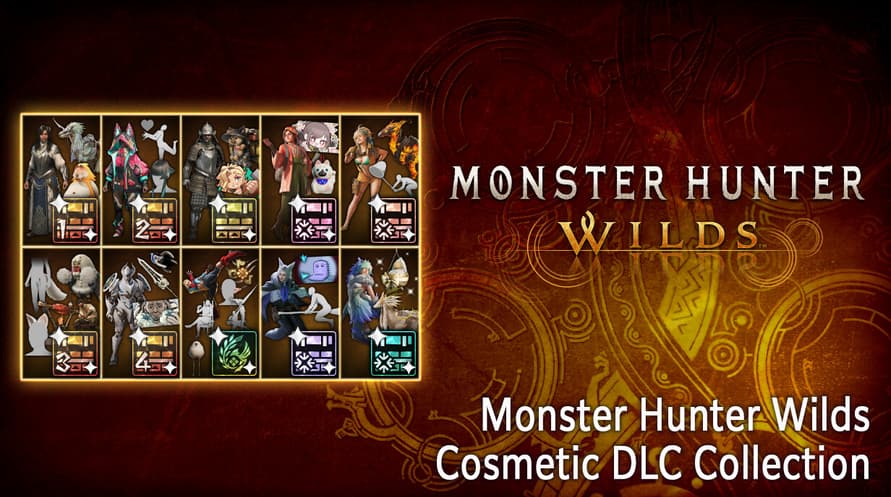
Have more fun with this Cosmetic DLC Collection!
Please check the official Monster Hunter Wilds website for details about the content.
Includes:
●Monster Hunter Wilds Deluxe Pack
●Monster Hunter Wilds Cosmetic DLC Pack 1/2/3/4
●Blossomdance DLC Pack/Flamefete DLC Pack/Dreamspell DLC Pack/Lumenhymn DLC Pack
●Monster Hunter Wilds Extras Cosmetic DLC Pack
【Premium Bonus】
・Hunter Layered Armor: Wyverian Ears
・Premium Bonus Hunter Profile Set
・BGM: Proof of a Hero (2025 Recording)
Minimum System Requirements:
- Requires a 64-bit processor and operating system
- OS: Windows®10 (64-bit Required)/Windows®11 (64-bit Required)
- Processor: Intel® Core™ i5-10400 or Intel® Core™ i3-12100 or AMD Ryzen™ 5 3600
- Memory: 16 GB RAM
- Graphics: NVIDIA® GeForce® GTX 1660(VRAM 6GB) or AMD Radeon™ RX 5500 XT(VRAM 8GB)
- DirectX: Version 12
- Network: Broadband Internet connection
- Storage: 75 GB available space
- Additional Notes: SSD required. This game is expected to run at 1080p (upscaled from 720 native resolution) / 30 fps under the "Lowest" graphics setting. DirectStorage supported.
Recommended System Requirements:
- Requires a 64-bit processor and operating system
- OS: Windows®10 (64-bit Required)/Windows®11 (64-bit Required)
- Processor: Intel® Core™ i5-10400 or Intel® Core™ i3-12100 or AMD Ryzen™ 5 3600
- Memory: 16 GB RAM
- Graphics: NVIDIA® GeForce® RTX 2060 Super(VRAM 8GB) or AMD Radeon™ RX 6600(VRAM 8GB)
- DirectX: Version 12
- Network: Broadband Internet connection
- Storage: 75 GB available space
- Additional Notes: SSD required. This game is expected to run at 1080p / 60 fps (with Frame Generation enabled) under the "Medium" graphics setting. DirectStorage supported.
Để kích hoạt khóa Steam bạn đã nhận, hãy làm theo hướng dẫn dưới đây;
- Trước tiên, mở ứng dụng Steam. (Nếu bạn chưa có, chỉ cần nhấp vào nút "Cài đặt Steam" tại đây => Steam Store )
- Đăng nhập vào tài khoản Steam của bạn. (Nếu bạn chưa có, nhấp vào đây để tạo tài khoản mới => Steam Account )
- Nhấp vào nút "THÊM TRÒ CHƠI" ở góc dưới cùng của ứng dụng.
- Sau đó, chọn "Kích hoạt sản phẩm trên Steam..."
- Nhập hoặc sao chép và dán khóa kích hoạt bạn đã nhận từ Voidu vào cửa sổ.
- Trò chơi của bạn bây giờ đã hiển thị trong thư viện của bạn! Nhấp vào "Thư viện".
- Và cuối cùng, nhấp vào trò chơi và chọn "Cài đặt" để bắt đầu tải xuống.