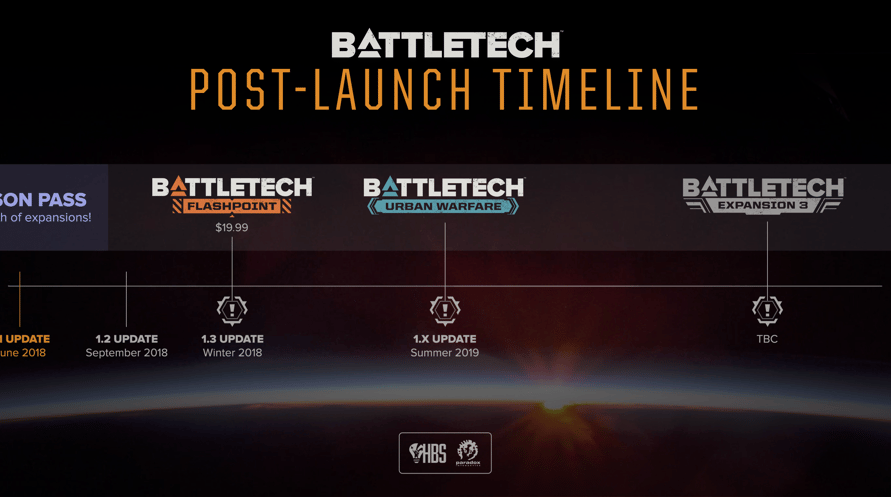
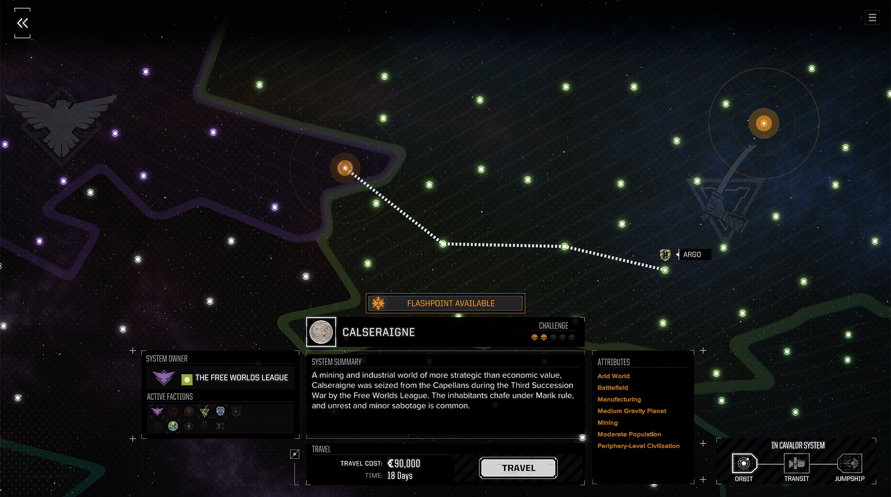
BATTLETECH Mercenary Collection ist das ultimative BATTLETECH-Paket, es enthält die Digital Deluxe Edition und den Season Pass, mit dem die Spieler neben allen aktuellen Spielinhalten Zugriff auf alle künftigen Erweiterungen erhalten.
Windows Minimum Requirements:
- Requires a 64-bit processor and operating system
- OS: 64-bit Windows 7 or Higher
- Processor: Intel® Core™ i3-2105 or AMD® Phenom™ II X3 720
- Memory: 8 GB RAM
- Graphics: Nvidia® GeForce™ GTX 560 Ti or AMD® ATI Radeon™ HD 5870 (1 GB VRAM)
- DirectX: Version 11
- Network: Broadband Internet connection
- Storage: 35 GB available space
- Sound Card: DirectX 9 sound device
- Additional Notes: Multiplayer is compatible between Windows, Mac and Linux versions.
Windows Recommended Requirements:
- Requires a 64-bit processor and operating system
- OS: 64-bit Windows 7 or Higher
- Processor: Intel® Core™ i5-4460 or AMD® FX-4300
- Memory: 16 GB RAM
- Graphics: Nvidia® GeForce™ GTX 670 or AMD® Radeon™ R9 285 (2 GB VRAM)
- DirectX: Version 11
- Network: Broadband Internet connection
- Storage: 35 GB available space
- Sound Card: DirectX 9 sound device
- Additional Notes: Multiplayer is compatible between Windows, Mac and Linux versions.
Mac Minimum Requirements:
- Requires a 64-bit processor and operating system
- OS: macOS High Sierra 10.13.3
- Processor: Intel® Core™ i5-4670
- Memory: 8 GB RAM
- Graphics: Nvidia® GeForce™ GTX 775M (2 GB VRAM)
- Network: Broadband Internet connection
- Storage: 35 GB available space
- Additional Notes: Multiplayer is compatible between Windows, Mac and Linux versions.
Mac Recommended Requirements:
- Requires a 64-bit processor and operating system
- OS: macOS High Sierra 10.13.3
- Processor: Intel® Core™ i7-7700K
- Memory: 16 GB RAM
- Graphics: AMD® Radeon™ Pro 580 (8 GB VRAM)
- Network: Broadband Internet connection
- Storage: 35 GB available space
- Additional Notes: Multiplayer is compatible between Windows, Mac and Linux versions.
Linux Minimum Requirements:
- Requires a 64-bit processor and operating system
- OS: 64-bit Ubuntu 18.04 LTS and higher or SteamOS
- Processor: Intel® Core™ i3-3240 CPU
- Memory: 8 GB RAM
- Graphics: Nvidia® GeForce™ GTX 560
- Network: Broadband Internet connection
- Storage: 35 GB available space
- Additional Notes: Multiplayer is compatible between Windows, Mac and Linux versions.
Linux Recommended Requirements:
- Requires a 64-bit processor and operating system
- OS: 64-bit Ubuntu 18.04 LTS and higher or SteamOS
- Processor: Intel® Core™ i5-4460 or AMD® FX-4300
- Memory: 16 GB RAM
- Graphics: Nvidia® GeForce™ GTX 670 or AMD® Radeon™ R9 285 (2 GB VRAM)
- Network: Broadband Internet connection
- Storage: 35 GB available space
- Additional Notes: Multiplayer is compatible between Windows, Mac and Linux versions.
Um den Steam-Schlüssel zu aktivieren, den Sie erhalten haben, befolgen Sie die folgenden Anweisungen:
- Öffnen Sie zunächst den Steam-Client. (Wenn Sie ihn nicht haben, klicken Sie einfach hier auf die Schaltfläche "Steam installieren" => Steam Store )
- Melden Sie sich bei Ihrem Steam-Konto an. (Wenn Sie keines haben, klicken Sie hier, um ein neues zu erstellen => Steam-Konto )
- Klicken Sie auf die Schaltfläche "SPIEL HINZUFÜGEN" in der unteren Ecke des Clients.
- Wählen Sie dann "Ein Produkt bei Steam aktivieren..." aus.
- Schreiben Sie den Aktivierungsschlüssel auf oder kopieren Sie ihn, den Sie von Voidu erhalten haben, in das Fenster.
- Ihr Spiel ist jetzt in Ihrer Bibliothek sichtbar! Klicken Sie auf Ihre "Bibliothek".
- Und schließlich klicken Sie auf das Spiel und wählen Sie "Installieren", um den Download zu starten.